

Your neck aches after long hours at the desk, and your monitor sits too low, forcing you to hunch. You want to reclaim desk space and achieve that perfect ergonomic setup, but the sheer number of monitor arm brands makes choosing overwhelming. This guide cuts through the noise, comparing the best monitor arm brand options for 2026 to help you find the right arm for your needs and budget.
We’ve evaluated top contenders from WALI, ErGear, HUANUO, and VIVO, focusing on build quality, range of motion, ease of installation, and value. Whether you have a single ultrawide screen or a dual-monitor setup, we’ll point you to the arm that fits your workspace best. For more guidance on specific monitor sizes, check our best monitor arm for 32 inch monitor guide.


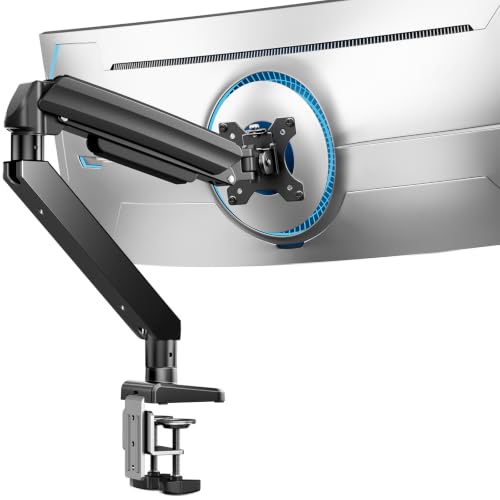


Buying Guide: What to Look for in a Monitor Arm
Choosing the right monitor arm goes beyond picking a brand. You need to consider your monitor’s weight and VESA pattern, the desk type you have, and the range of motion you require. Here are the key criteria to evaluate before making a purchase.
Compatibility: Weight, VESA, and Desk
First, verify your monitor’s VESA pattern (75x75mm or 100x100mm) and its weight. Each arm has a weight limit, so match it to your screen’s specs. Also, consider your desk: most arms use a C-clamp or grommet mount, and they typically require a wooden desk with a certain thickness. For ultrawide screens, heavy-duty arms with higher weight capacities are essential, as you’ll see in our best monitor arm for curved monitor picks.
Ergonomics and Range of Motion
Look for an arm that offers tilt, swivel, and rotation to position your screen at eye level. A good arm lets you adjust height and reach easily, reducing neck and eye strain. Some arms have gas springs for smooth movement, while others rely on mechanical tension. The more adjustments you have, the more comfortable your setup will be.
Build Quality and Stability
You want an arm that doesn’t droop or wobble. Look for features like reinforced VESA plates, thicker arms, and dual clamps for added stability. Brands like HUANUO and ErGear emphasize durability with materials like aluminum alloy and rigorous motion testing. A sturdy arm will keep your monitor firmly in place, even during intense typing or gaming sessions.
Installation and Cable Management
Consider how easy the arm is to install. Many modern arms feature tool-free VESA plates and simple clamping mechanisms, making setup a breeze. Built-in cable management channels or clips keep your wires tidy and out of sight, contributing to a clean, professional-looking desk. For more insights on setting up a clutter-free workspace, you might like our ULTRARM heavy duty monitor arm review.
Final Thoughts
After reviewing the top contenders, the best monitor arm brand ultimately depends on your specific needs. For a versatile and budget-friendly single-arm solution, the HUANUO FlowLift™ Single Monitor Mount offers exceptional value with its full range of motion and sturdy build. If you’re managing a dual-monitor setup, the ErGear Dual Monitor Arm provides excellent stability and easy adjustments, making it a top choice for productivity. Whichever you choose, you’ll enjoy a more comfortable and organized workspace.
Frequently Asked Questions
What is the best monitor arm brand?
The best monitor arm brand varies based on your needs. HUANUO is praised for its sturdy dual clamp and smooth motion, while ErGear offers great value with tool-free installation. VIVO and WALI are also reliable, budget-friendly options. In 2026, HUANUO and ErGear stand out for their combination of quality and affordability.
How do I know if a monitor arm is compatible with my monitor?
Check your monitor’s VESA pattern (usually 75x75mm or 100x100mm) and its weight. The arm’s specifications will list the supported VESA sizes and maximum weight capacity. Also, ensure your desk is suitable for the mounting option (C-clamp or grommet), typically requiring a wooden surface of a certain thickness.
Can I use a monitor arm with an ultrawide monitor?
Yes, but you need a heavy-duty arm that supports the monitor’s weight and size. Look for arms rated for 49-inch ultrawide screens, like the HUANUO TitanLift or ErGear Heavy Duty models. Always verify the weight capacity and VESA compatibility before purchasing. For more details, see our Monitor Arms category.
How difficult is it to install a monitor arm?
Most monitor arms come with clear instructions and require basic tools. Many modern models feature tool-free VESA mounting and simple clamps, so installation can be completed in minutes. If you’re comfortable with a screwdriver, you’ll have no trouble setting up most arms.

