

You have invested in a massive ultrawide monitor, maybe a 49-inch curved behemoth, and now it sits on its wobbly factory stand, taking up half your desk. You need a monitor arm that can handle the weight, the width, and the curvature without sagging or shaking. This guide covers the best monitor arm for ultrawide screens, from budget-friendly options to heavy-duty gas spring models. We have reviewed eight top choices, including brands like VIVO, WALI, and ULTRARM, to help you find a stable, adjustable mount for your setup. If you are dealing with an especially heavy monitor, you might also check our guide on the best monitor arm for heavy monitor.






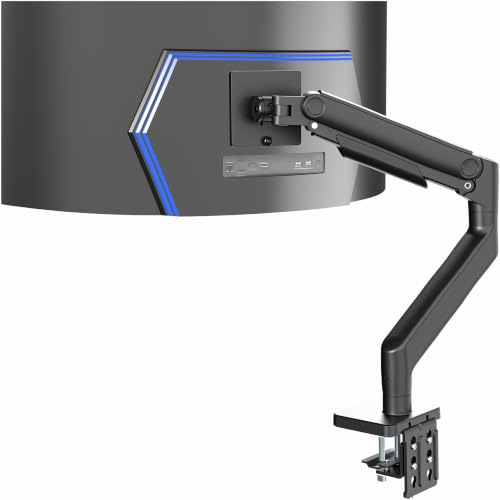

Buying Guide
Weight Capacity and Monitor Size
The most critical factor for an ultrawide arm is its weight limit. A 49-inch ultrawide can weigh over 30 pounds, and some models like the Samsung Odyssey G9 push past 40 pounds. Always check the arm’s maximum weight capacity and the screen size range. The HUANUO TitanLift Heavy Duty Monitor Arm supports up to 44 pounds and screens up to 49 inches, making it a strong candidate for heavy curved monitors. For lighter ultrawides under 33 pounds, the VIVO Premium Aluminum Monitor Arm for Ultrawide is a more affordable option.
Mounting Options and Desk Compatibility
Most arms come with a C-clamp and a grommet mount. The C-clamp grips the edge of your desk, while the grommet mount uses an existing hole. Check your desk thickness. Many arms require a wooden desk at least 0.8 inches thick. Avoid using these clamps on glass or plastic desks. The WALI Heavy Duty Monitor Arm for 13-49 inch 1000R offers both mounting options and fits desks up to 3.15 inches thick.
Articulation and Range of Motion
Look for an arm that offers tilt, swivel, rotation, and height adjustment. A gas spring arm makes height changes effortless. The ULTRARM Heavy Duty Monitor Arm for Ultrawide features a pneumatic spring system for smooth height adjustments up to 13 inches. For a full range of motion, the ErGear Heavy Duty Monitor Arm for 13-49″ Ultrawide provides +30°/-40° tilt, ±90° swivel, and 360° rotation.
Cable Management and Build Quality
Ultrawide monitors have thick cables. A good arm has built-in cable channels or clips to keep wires organized. Look for arms made from aluminum or steel. The VIVO Heavy Duty Aluminum Ultrawide Monitor Tension arm uses integrated cable covers for a clean look. If you plan to use a dual monitor setup later, some arms like the ULTRARM MA20P-S allow you to add extra modules. For more on dual setups, read our best dual monitor arm guide.
Final Thoughts
Choosing the best monitor arm for ultrawide depends on your monitor’s weight and your budget. For a heavy 49-inch curved screen, the HUANUO TitanLift Heavy Duty Monitor Arm offers a robust 44-pound capacity and easy tension adjustment. If you need a budget-friendly option for a lighter ultrawide, the VIVO Single 13 to 38 inch Ultrawide Monitor Arm provides solid articulation at a low price. Both arms will free up desk space and improve your ergonomics. For a broader look at all types of mounts, see our best monitor arm roundup.
Frequently Asked Questions
Can I use a standard monitor arm for an ultrawide monitor?
Not always. Standard arms are designed for monitors up to 32 inches and 22 pounds. Ultrawide monitors, especially 49-inch models, are heavier and wider. You need an arm specifically rated for the weight and VESA pattern of your ultrawide screen. Check the specs before buying.
What is the difference between a gas spring and a tension arm?
A gas spring arm uses a pneumatic cylinder for smooth height adjustments. A tension arm uses a spring or friction mechanism. Gas spring arms are easier to adjust and more common for heavy monitors. Tension arms are often more affordable but may require manual tightening. For ultrawide monitors, a gas spring arm is usually the better choice.
Will a monitor arm work with a curved ultrawide monitor?
Yes, most arms listed here support curved monitors up to 1000R curvature. The WALI Heavy Duty Monitor Arm for 13-49 inch 1000R is specifically rated for 1000R curved screens. Ensure the arm’s VESA plate fits your monitor’s back. If you use an Apple Studio Display, check our best monitor arm for Apple Studio Display guide.
How do I install a monitor arm on a thick desk?
Most C-clamps fit desks up to 3.3 inches thick. If your desk is thicker, you may need a grommet mount or a longer bolt. Always verify the clamp’s maximum thickness before purchasing. For desks with a crossbeam underneath, the grommet mount is often the only option.


