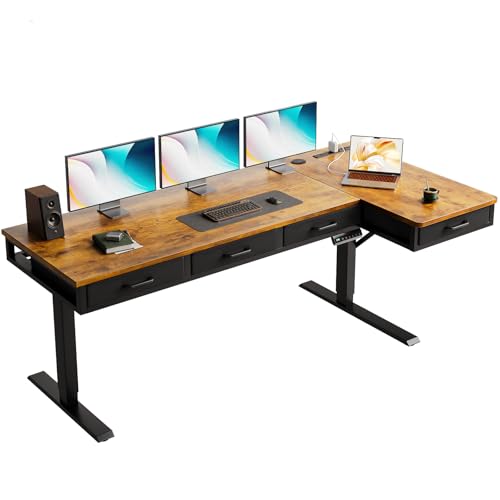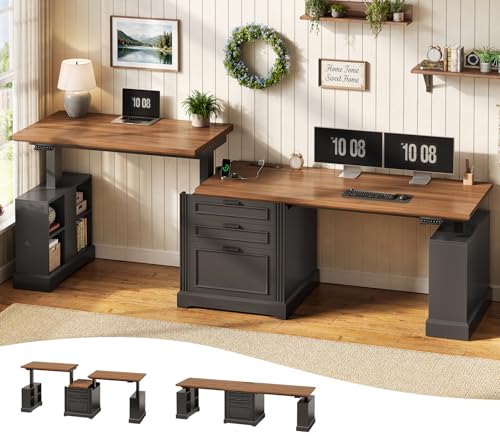

You spend hours at your desk, and your neck and shoulders are paying the price. A standard desk forces you to hunch over your keyboard, leading to discomfort and fatigue. The solution is a workstation that adapts to you, not the other way around. This guide focuses on one standout option: the ErGear Electric Standing Desk with Keyboard Tray. It is designed for anyone seeking a healthier, more organized workspace, whether you are a remote worker, a gamer, or a student. For more insights on ergonomic setups, check out our guide on best adjustable under-desk keyboard trays.



Buying Guide
Stability at Full Height
A wobbly desk is a productivity killer. When you raise a standing desk to its maximum height, the frame must remain rock-solid. The ErGear Electric Standing Desk features a heavy-duty steel frame with aerospace-grade lifting column connectors. This design has been verified through rigorous durability checks, ensuring no wobble even during intense typing sessions.
Stability is non-negotiable, especially if you use multiple monitors or a heavy PC setup. A stable base protects your equipment and maintains a professional feel. For more on stable setups, see our desk accessories guide.
Smooth and Quiet Height Adjustment
Transitioning between sitting and standing should be effortless. The ErGear desk uses an uprated motor that lifts smoothly from 28.35 inches to 46.46 inches. You can save up to three favorite heights and switch between them with a single touch. This motor also supports a maximum load of 176 pounds, enough for a full workstation.
A quiet motor is a bonus in a shared home office. You can adjust your desk without disturbing calls or family members. This feature makes the ErGear desk a practical choice for dynamic workdays.
Spacious Keyboard Tray
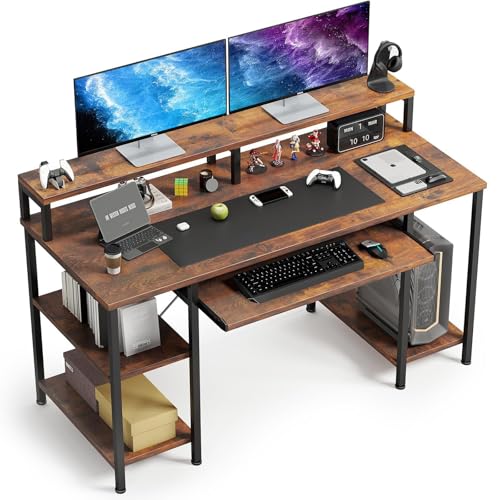
The integrated keyboard tray is a game-changer for ergonomics. It holds your keyboard and mouse at the optimal height, reducing wrist strain. The tray supports up to 22 pounds and has been validated for durability through extensive use. It also clears your main desk surface, giving you more room for documents, a tablet, or a coffee cup.
For those who prefer a separate tray, we recommend exploring our best undermount keyboard trays for alternative setups. But if you want an all-in-one solution, the ErGear tray is hard to beat.
Build Quality and Longevity
A desk is an investment. The ErGear model is built to last, with a steel frame and components that have been evaluated through thousands of cycles. The lifting columns and tray mechanism are rated for long-term use, so you can count on this desk for years.
Assembly is straightforward with clear instructions. The desk comes with a black finish that fits most decor styles. For a complete ergonomic setup, pair it with a clamp-on keyboard tray if you need extra surface space.
Final Thoughts
After thoroughly reviewing the ErGear Electric Standing Desk with Keyboard Tray, we can confidently recommend it as the best computer desk with keyboard tray for 2026. Its combination of rock-solid stability, smooth height adjustment, and a spacious tray makes it a versatile choice for any home office. For gamers who need a dedicated setup, consider the ErGear Electric Standing Desk with Keyboard Tray for its ergonomic benefits; if you prefer a simpler, fixed-height solution, explore our guide on the best desk for gaming PC with keyboard tray for alternatives.
Frequently Asked Questions
What is the weight capacity of the ErGear desk?
The desk supports up to 176 pounds, which is enough for most dual-monitor setups with a full tower PC. The keyboard tray itself holds up to 22 pounds, suitable for a large keyboard and mouse.
How easy is it to assemble the ErGear standing desk?
Assembly is straightforward with the included manual and tools. Most users can complete it in under an hour. The frame comes in two main sections, and the keyboard tray attaches with a few screws.
Can I use the desk without the keyboard tray?
Yes, the keyboard tray is removable if you prefer a flat surface. However, the tray is designed to improve ergonomics, so we recommend keeping it for typing comfort. For alternative tray options, see our best buy keyboard tray recommendations.
Does the desk come with a warranty?
ErGear offers a standard warranty on their desks. Check the product page for exact terms, but typically you get coverage for the motor and frame for a period of years.