

Your ultrawide monitor is a powerhouse for productivity and immersion, but its stock stand often eats up valuable desk space and limits ergonomic adjustments. If you are searching for the best monitor arm for 34 inch ultrawide screens, you need a mount that can handle the weight, width, and curvature of your display while offering smooth adjustability. Whether you are a gamer, a programmer, or a creative professional, a quality arm frees up your desk and positions your screen at eye level to reduce neck strain. This guide reviews eight top contenders from trusted brands like VIVO, WALI, HUANUO, and ErGear to help you find the perfect match for your setup. For more options, check out our best monitor arm for 32 inch monitor guide.

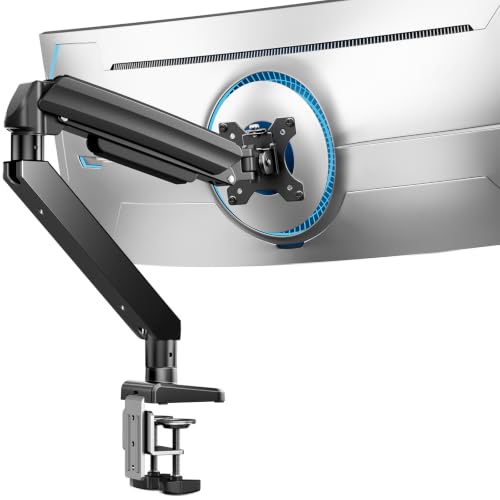

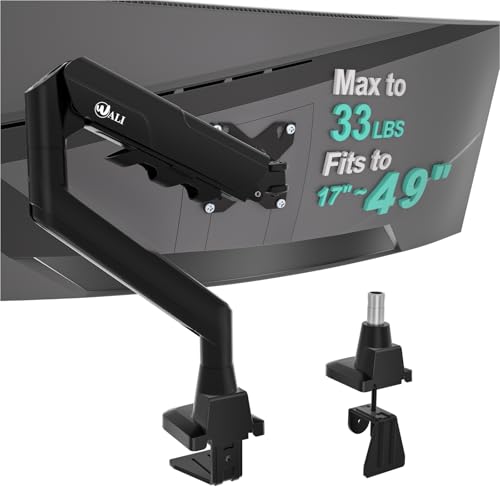


Buying Guide: What to Look for in a 34 Inch Ultrawide Monitor Arm
Weight Capacity and Build Quality
Ultrawide monitors are heavier than standard screens, so weight capacity is critical. Most 34 inch models weigh between 15 and 25 pounds, but some premium curved displays can exceed 30 pounds. Look for arms with a capacity of at least 33 pounds for a safety margin. Heavy-duty options like the HUANUO TitanLift (44 lbs) and WALI Heavy Duty (44 lbs) provide extra reassurance. Durable materials such as aluminum alloy or thickened steel prevent wobble and ensure long-term stability. For a broader perspective on brand reliability, read our best monitor arm brand article.
Range of Motion and Ergonomic Adjustments
A good monitor arm should let you tilt, swivel, rotate, and adjust height with ease. For a 34 inch ultrawide, look for at least 15 inches of vertical travel and an arm extension that reaches 20 inches or more. Pneumatic or gas spring mechanisms make height adjustments effortless, while friction hinges allow smooth tilt and swivel. The ability to rotate the screen 360 degrees is useful for portrait mode, though ultrawides are typically used in landscape. If you use a Samsung Odyssey G9, check our best monitor arm for Samsung Odyssey G9 guide for specific recommendations.
Mounting Options and Desk Compatibility
Most monitor arms offer a C-clamp or grommet mount. C-clamps are easy to install and work with desks up to 3 inches thick, while grommet mounts require a hole in the desk but provide a cleaner look. Ensure your desk is made of solid wood or metal; glass or plastic tops cannot support heavy arms. Also verify that the underside is free of crossbeams that could block the clamp. For deeper desk organization tips, visit our Monitor Arms category page.
Cable Management and Aesthetics
A cluttered desk defeats the purpose of a monitor arm. Look for built-in cable channels or clips that route wires along the arm and keep them hidden. Premium arms like the VIVO Premium Aluminum and HUANUO TitanLift feature integrated cable management that maintains a clean, professional look. A sleek design also enhances your workspace aesthetics, especially if your setup is visible during video calls.
Final Thoughts
Choosing the right arm for your 34 inch ultrawide monitor comes down to balancing weight capacity, adjustability, and desk compatibility. For most users, the ErGear Heavy Duty Monitor Arm for 13-49″ Ultrawide offers excellent value with a 37.4-pound capacity and full motion at a reasonable price. If you need maximum stability for a heavier curved display, the HUANUO TitanLift Heavy Duty Monitor Arm is a premium choice built from aircraft-grade aluminum and rated for 44 pounds. Both arms will transform your workspace into an ergonomic, clutter-free command center.
Frequently Asked Questions
Will a monitor arm fit my 34 inch ultrawide monitor?
Most monitor arms support screens up to 49 inches, but you must verify three things: your monitor weight must be under the arm’s limit, your VESA pattern must be 75x75mm or 100x100mm, and your desk must be solid wood or metal. Check the product specifications before purchasing.
Can I use a monitor arm with a curved ultrawide screen?
Yes, most arms listed here are compatible with curved monitors up to 1000R curvature. The VESA plate attaches to the back of the screen, and the arm provides full range of motion. Ensure the arm’s weight capacity exceeds your monitor’s weight.
How do I install a monitor arm on a glass desk?
Glass desks are not recommended for monitor arms because the clamp pressure can crack the glass. If you must use one, choose a grommet mount that passes through a pre-drilled hole, and use a reinforcing plate. However, for safety, we advise using a solid wood or metal desk.
What is the difference between a C-clamp and a grommet mount?
A C-clamp attaches to the edge of your desk without drilling, making it easy to install and reposition. A grommet mount requires a hole (usually 0.4 to 2 inches in diameter) but offers a cleaner look and more stability, especially for heavy monitors. Both options are included with most arms.


