

Your gaming monitor deserves better than the flimsy stand it shipped with. A wobbly screen during a clutch moment ruins immersion, and a fixed base eats up desk space you could use for your keyboard and mouse. Finding the best monitor arm for gaming comes down to stability, smooth motion, and matching the arm to your screen’s size and weight.
We reviewed eight popular mounts, from budget single arms to heavy-duty ultrawide brackets, and compared their load ratings, adjustment ranges, and installation methods. Whether you run a compact 27-inch panel or a massive 49-inch curved display, this guide helps you pick the right arm for your setup.


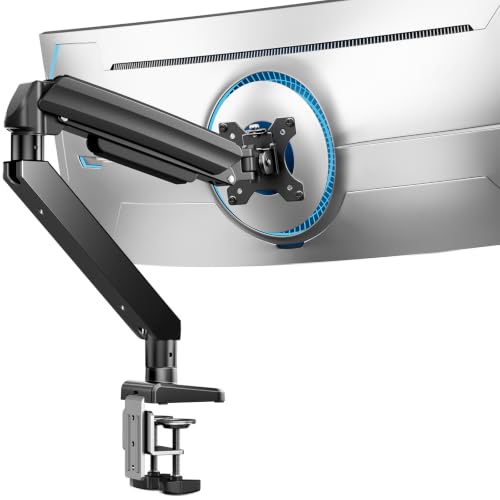


How to Choose a Gaming Monitor Arm
Before you buy, focus on four factors that separate a rock-solid mount from one that sags mid-match. These criteria apply whether you are building a first gaming desk or upgrading an existing setup.
Weight Capacity and Screen Size
Every arm lists a weight range and a maximum screen size, and both matter equally. A 34-inch ultrawide can weigh far more than a 27-inch flat panel, so check the load rating before anything else. For heavy curved displays, look for arms rated well above your monitor’s actual weight.
If you are shopping for a large panel, our guide to the best monitor arm for 34 inch ultrawide screens digs deeper into load and reach requirements.
Spring Type and Long-Term Stability
Gas springs feel effortless at first but can lose pressure over time, causing your screen to droop. Mechanical spring designs, like the system in the NB SmooVex and the HUANUO FlowLift Pro, hold tension more consistently across years of daily use. For fast-paced gaming, a mount that stays exactly where you leave it is non-negotiable.
Range of Motion
Tilt, swivel, rotation, and height travel determine how well you can dial in your viewing angle. Gamers often switch between leaning back and sitting upright, so a wide tilt range and generous height adjustment keep your neck comfortable. Check the extension reach too, since pulling the screen closer can improve focus during competitive play.
Brand reputation matters here as well, and our roundup of the best monitor arm brand options explains which manufacturers consistently deliver smooth motion.
Desk Compatibility and Mounting Options
Most arms support both a C-clamp and a grommet base, but desk thickness limits vary by model. Wooden desks are strongly recommended, and glass or thin particleboard tops may not handle the clamping pressure. Measure your desk thickness and check for crossbeams underneath before committing to any mount.
If you are working with a tighter budget, the best cheap monitor arm picks still deliver solid clamping and decent motion for lighter screens.
Final Thoughts
For most gamers, the HUANUO TitanLift Heavy Duty Monitor Arm is the safest bet for large ultrawide panels, thanks to its aluminum build and 44-pound capacity. If you run a standard 27- to 32-inch screen and want smooth mechanical tension, the NB SmooVex Monitor Arm delivers reliable support without overcomplicating your desk.
Frequently Asked Questions
Will a monitor arm work with my curved gaming monitor?
Yes, as long as the arm supports your screen’s weight and VESA pattern. Curved panels are often heavier than flat ones of the same size, so choose an arm with a load rating well above your monitor’s actual weight. Check that the VESA plate fits 75x75mm or 100x100mm holes.
How do I stop my monitor arm from sagging?
Sagging usually means the tension is set too low for your monitor’s weight. Adjust the tension bolt according to the manual until the arm holds position without drifting. Mechanical spring arms resist sag better over time than gas springs, which can slowly lose pressure.
Can I use a monitor arm on a glass desk?
Most manufacturers, including HUANUO, recommend wooden desks only because clamping pressure can crack glass or flex thin tops. If you must mount on glass, use a reinforcement plate and keep the load well below the arm’s limit. When in doubt, choose a desk-mounted stand with a wide base instead.
What is the best monitor arm for a Samsung Odyssey G9 in 2026?
The Odyssey G9 is enormous and heavy, so you need an arm rated for at least 30 pounds with a wide VESA head. Our guide to the best monitor arm for Samsung Odyssey G9 covers specific models that handle its curve and weight safely.


