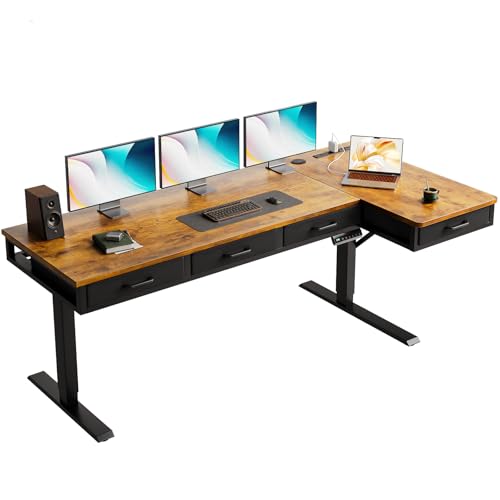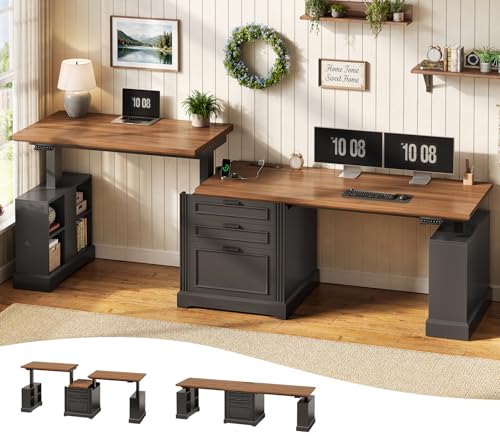

You finally upgraded to a spacious desk, but your keyboard and mouse still hog all the surface area, leaving no room for a notebook or a coffee mug. A clamp-on keyboard tray solves this by mounting your peripherals underneath the desk, instantly reclaiming valuable workspace. In this guide, we review the best clamp on keyboard tray options for 2026, covering everything from compact sliding platforms to extra-large rotating models. Whether you are a remote worker, a gamer, or someone with a small home office, this comparison will help you find the right tray for your setup.




Buying Guide
Desk Compatibility and Clamp Design
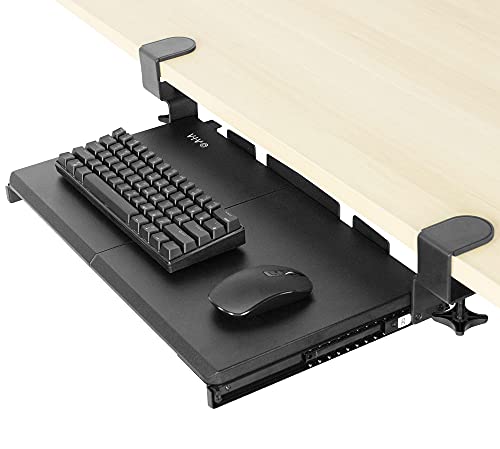
Not every clamp-on tray fits every desk. Check your desktop thickness and edge shape before buying. Most trays support flat, straight edges up to 2 inches thick, but some models like the VIVO Black Extra Large Clamp-on 34 x 11 require a thickness of 1.25 inches or less. Beveled, lipped, or rounded edges are often incompatible, so measure your desk carefully. Sturdy C-clamps with protective pads prevent scratches and ensure a secure grip without damaging your desk surface.
Consider the total width from clamp to clamp: larger trays need more desk space under the surface. For instance, the best under desk keyboard tray for a wide desk will have a clamp span of 32 to 40 inches. Always verify that your desk has enough room for the clamps to attach firmly without obstruction from support beams or crossbars.
Tray Size and Usable Space
The tray must accommodate your keyboard and mouse comfortably. Standard trays measure around 20 x 11 inches, while extra-large versions reach 34 x 11 inches. If you use a full-size keyboard with a number pad or a wide gaming keyboard, opt for a larger platform. Compact trays work well for minimalists or those with smaller desks. The best keyboard trays adjustable under desk also offer width and height adjustments for a customized fit.
Also consider the slide-out extension: how far the tray pulls out from under the desk. A typical range is 5 to 9 inches, which provides a comfortable typing angle without pushing the keyboard too far forward. A back baffle or raised edge prevents your keyboard from sliding off the back when you push it in.
Ergonomics and Adjustability
An ergonomic typing angle reduces wrist and shoulder strain. Look for trays that allow you to position the keyboard slightly below desk level, promoting a neutral wrist posture. Some models, like the VIVO Black Clamp-on 23 to 30 x 11 Adjustable, offer height adjustment with multiple set points and width adjustment to fine-tune the reach. Rotating trays add flexibility by letting you pivot the keyboard out of the way when not in use.
A smooth slide mechanism is essential for easy access. High-quality metal rails or ball-bearing slides ensure silent, effortless movement. If you share your desk or switch between sitting and standing, an adjustable tray can make a big difference. For more on this, check out our best keyboard trays undermount guide for additional ergonomic insights.
Weight Capacity and Build Quality
Most clamp-on keyboard trays support up to 11 pounds, which is enough for a standard keyboard and mouse. However, if you use a heavy mechanical keyboard, a large gaming mouse, or a wrist rest, confirm the weight limit. Steel or aluminum construction with a powder-coated finish offers durability and a professional look. The clamps themselves should be made of solid metal with easy-to-turn knobs for tool-free installation.
Assembly is generally straightforward with included hardware and instructions. Some brands, like VIVO, provide detailed manuals and customer support. If you plan to use the tray with a gaming setup, read our best desk for gaming PC with keyboard tray article for compatible desk recommendations.
Final Thoughts
Choosing the right clamp-on keyboard tray comes down to your desk size, keyboard dimensions, and ergonomic needs. For a versatile, highly rated option that fits most setups, the VIVO Black Clamp-on 23 x 10 in Rotating Keyboard offers a rotating design and a compact footprint. If you need extra space for a full-size keyboard and mouse, the VIVO Black Extra Large Clamp-on 34 x 11 provides a generous platform with smooth slide-out action. Both models deliver excellent build quality and ergonomic benefits, making your workspace cleaner and more comfortable.
Frequently Asked Questions
Will a clamp-on keyboard tray damage my desk?
No, most trays use C-clamps with protective pads that grip the desk without scratching or denting the surface. Ensure your desk edge is flat and free of bevels for a secure fit. The clamps are adjustable and can be tightened or loosened without tools.
How do I measure my desk for a clamp-on tray?
Measure the thickness of your desktop, the total width available under the desk for clamps, and the depth clearance for the tray to slide out. For example, the VIVO Black Clamp-on 27 x 11 requires at least 32.5 inches of clamp span and a desktop thickness of 1.25 inches or less. Always check the product specifications before ordering.
Can I use a clamp-on tray with a standing desk?
Yes, many clamp-on trays work with standing desks as long as the desk edge is flat and the clamps fit securely. The tray stays in place when the desk moves up and down. For adjustable standing desks, the best buy keyboard tray options include models with height adjustment to maintain proper ergonomics at different heights.
What is the difference between a clamp-on tray and a slide-out tray?
A clamp-on tray attaches to the desk with C-clamps, while a slide-out tray typically mounts using screws or adhesive. Clamp-on trays are easier to install and remove without damaging the desk, making them ideal for renters or anyone who wants a non-permanent solution. Slide-out trays often have a drawer-like mechanism that extends further out.