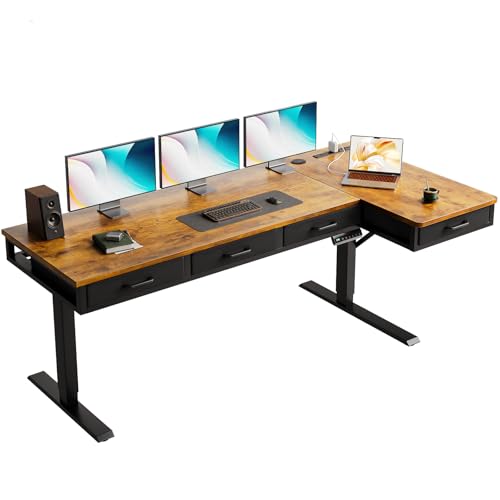

You finally invested in a standing desk to save your back, but now your feet are tangled in a nest of cables. Every time you raise the desk, the power strip swings like a pendulum, and your monitor cable snags on the drawer handle. It’s a mess that makes you dread adjusting your setup.
That’s why we’ve rounded up the best standing desks with cable management for 2026. We focused on models that integrate power outlets, USB ports, and smart routing solutions right into the frame, so you can keep your workspace clean and your focus sharp. Whether you’re a remote worker, a gamer, or someone who just hates clutter, this guide will help you find the perfect desk.
If you’re also considering a walking pad to boost your activity, check out our best standing desk for walking pad picks for more options.




Buying Guide: What to Look for in a Standing Desk with Cable Management
Choosing the right standing desk goes beyond just height adjustability. Here are the key features to consider when you want to keep your cables organized and your workspace tidy.
Built-In Power and USB Ports
The easiest way to manage cables is to have power right where you need it. Look for desks with integrated AC outlets and USB ports built into the desktop or frame. This eliminates the need for a separate power strip that often ends up on the floor, creating a trip hazard and a tangle of cords.
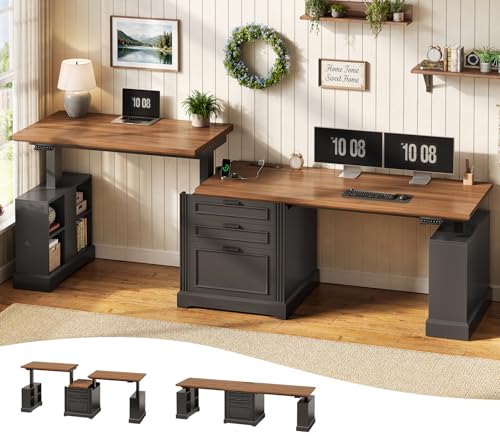
For example, the SEDETA 98.4” Standing Two Person Desk with 3 includes a power hub with 4 AC outlets and 2 USB ports, making it incredibly convenient for multi-device setups. Similarly, the FEZIBO 83 x 37 Inch Large Electric Standing Desk features a USB-C port with fast charging, so you can power your phone or tablet directly from the desk.
Cable Tray and Routing Channels
Even with power outlets, you still need a way to hide the cables that run from your monitor, computer, and peripherals. A dedicated cable tray or management channel underneath the desk keeps everything off the floor and out of sight. Some desks also offer routing holes in the desktop to guide cables neatly downward.
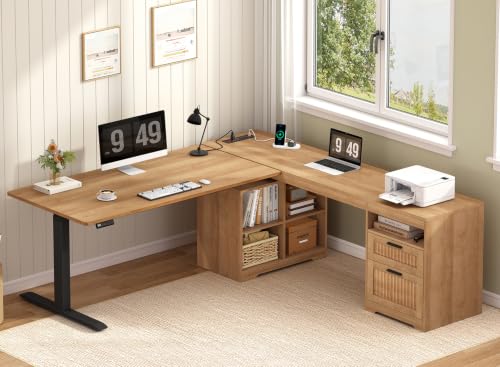
When evaluating a desk, check if it includes a cable management tray or if you’ll need to purchase one separately. Desks like the SEDETA Fluted L Shaped Standing Desk with Storage offer ample storage compartments that can also help hide cables and power strips.
Stability and Weight Capacity
A stable desk is essential, especially when you’re standing and typing. The last thing you want is a wobbly surface that makes your monitor shake. Look for desks with a sturdy steel frame and a high weight capacity, typically 150 lbs or more. The FLEXISPOT E6 MAX 72″ x 30″ Large Bamboo Standing stands out with its dual motors and a weight capacity of 330 lbs, ensuring rock-solid stability even at maximum height.
For larger setups, the FLEXISPOT 4-Leg Standing Desk, 78″x32″ uses a four-legged frame that provides exceptional support, holding up to 220 lbs without any wobble.
Storage Options for a Clutter-Free Desk
Cable management isn’t just about wires; it’s also about keeping your desk surface clear. Desks with built-in drawers, shelves, and cabinets give you a place to store notepads, pens, and other office supplies, reducing visual clutter. The YOMILUVE 66 inch Fluted L Shaped Standing Desk offers a storage cabinet and open compartments, perfect for keeping your workspace organized.
If you need even more storage, the SEDETA Farmhouse L Shaped Standing Desk comes with a file drawer, two additional drawers, and a storage cabinet, so you can keep everything out of sight. For more ideas on maximizing your workspace, explore our electric standing desks category.
Final Thoughts
Choosing the best standing desk with cable management ultimately depends on your space and workflow. If you need a dedicated two-person setup with independent height controls and abundant storage, the SEDETA 98.4” Standing Two Person Desk with 3 is a standout choice. For those who prioritize a massive, stable work surface with advanced cable routing, the FEZIBO 83 x 37 Inch Large Electric Standing Desk offers exceptional value and performance. Either way, you’ll enjoy a cleaner, more productive workspace.
Frequently Asked Questions
What is the best way to manage cables on a standing desk?
The best approach is to use a desk with built-in cable management features, such as a cable tray, routing holes, and integrated power outlets. This keeps cords off the floor and prevents them from tangling when you adjust the desk height. You can also use cable sleeves or zip ties to bundle wires together for a cleaner look.
Are standing desks with cable management worth it?
Absolutely. Not only do they keep your workspace tidy and safe, but they also save you time and frustration. With built-in power and cable routing, you won’t have to crawl under your desk to plug in devices or deal with a mess of wires every time you switch between sitting and standing. In 2026, it’s a feature that many users consider essential.
Can I add cable management to a regular standing desk?
Yes, you can. You can purchase aftermarket cable trays, clips, and sleeves to organize your cables. However, desks that come with built-in cable management are often more elegant and integrated, providing a cleaner result. If you’re looking for a desk that already has these features, check out our SEDETA fluted L shaped standing desk review for a model that includes excellent storage and cable solutions.
How do I keep my desk cables from tangling when I adjust the height?
To prevent tangling, ensure your cables have enough slack to move with the desk. Use a cable management arm or a spiral wrap to keep them together, and route them through the desk’s cable tray or channels. Many modern standing desks come with a built-in cable management system that automatically accommodates the movement.
For more insights on desk setups, you might find our FlexiSpot E6 bamboo review helpful, as it highlights a desk with excellent cable management features.