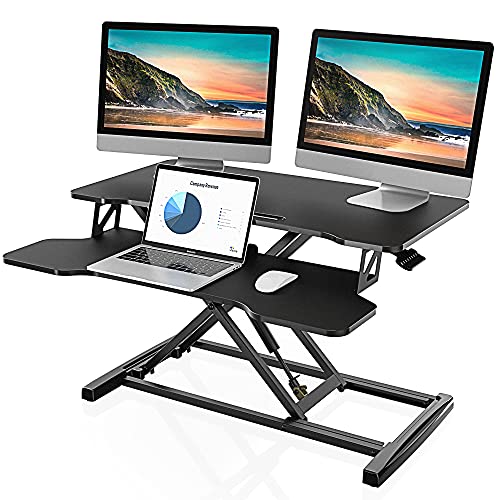

You have been sitting for hours, your back aches, and your focus is fading. You need to stand, but your desk is fixed and your budget is tight. A cheap standing desk converter for laptop users is the perfect solution. It transforms your existing desk into a sit-stand workstation without the cost of a full electric desk. This guide covers six top-rated converters that are easy on your wallet and great for your health. For a broader look at options, check out our guide to the best standing desk converters for a healthier workspace.


Buying Guide: How to Choose a Cheap Standing Desk Converter for Laptop
Workspace Width and Dual Monitor Support
Measure your existing desk and your monitor setup. A 32-inch converter, like the TechOrbits Black 32 in Standing Desk Converter, is compact and works for a single laptop. For dual monitors, look at 36-inch or wider models. The VIVO Black 48 in Standing Desk Converter gives you 48 inches of space, ideal for a full workstation. If you use two screens, see our picks for the best standing desk converter for dual monitors.
Height Adjustment Range and Mechanism
You need a converter that fits your height. Most models offer a range from about 4 inches to 20 inches. The lift mechanism matters: gas springs are common but can lose power over time. The FLEXISPOT Standing Desk Converter 36″ Desk Riser uses a patented spring lift system that avoids gas leaks. The VIVO models use a simple touch height locking mechanism that is smooth and reliable.
Weight Capacity and Build Quality
Check the weight limit for the top surface and keyboard tray. Most converters support up to 33 pounds on the top, which is enough for a laptop and one or two monitors. The keyboard tray usually holds 4 to 5 pounds. Steel frames are more durable than plastic. The VIVO Black 42 in Standing Desk Converter features a strong steel frame that resists scratches and wobbles.
Assembly and Ease of Use
You want a converter that is ready quickly. Most models come almost fully assembled. You just attach the keyboard tray with a few screws. The TechOrbits Black 32 in Standing Desk Converter requires minimal setup with included tools. The VIVO Black 32 in Standing Desk Converter (DESK-V000K) is also easy to set up and comes with a 3-year warranty. For more on the differences, read our comparison of standing desk vs desk converter.
Final Thoughts
For most laptop users, the VIVO Black 36 in Standing Desk Converter offers a great balance of space, stability, and price. If you need a wider surface for dual monitors, the VIVO Black 48 in Standing Desk Converter is worth the extra investment. Both are affordable, easy to set up, and will help you work more comfortably.
Frequently Asked Questions
Can I use a standing desk converter with a laptop only? Yes, absolutely. All the converters reviewed here work perfectly with a single laptop. They provide a stable platform and a separate keyboard tray for ergonomic typing.
How much weight can a cheap standing desk converter hold? Most models hold up to 33 pounds on the top surface. This is enough for a laptop plus one or two monitors. The keyboard tray usually supports 4 to 5 pounds.
Are standing desk converters easy to assemble? Yes, they are designed for quick setup. You typically attach the keyboard tray with a few screws. Most converters come with the necessary tools and instructions. For a detailed look, see our VIVO black 32 in standing desk converter review.
Will a standing desk converter work with a curved monitor? Yes, as long as the monitor width fits within the converter’s top surface. For large curved monitors, choose a wider model like the 42-inch or 48-inch VIVO converters for proper support.