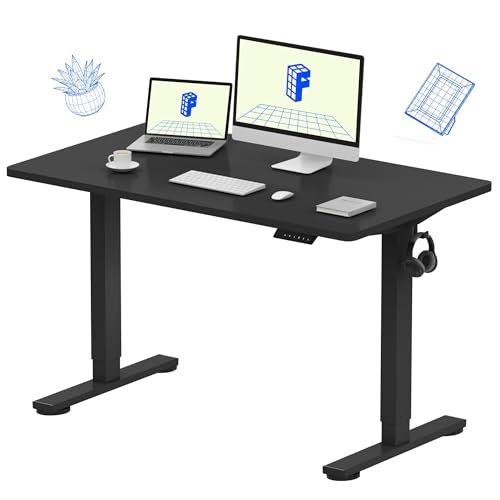

Does your desk feel cluttered, with your keyboard and mouse taking up valuable real estate? You are not alone. Many remote workers, gamers, and office professionals face the same struggle. An undermount keyboard tray slides beneath your desk, creating a clean surface for your monitor and documents while promoting a more natural wrist angle. This guide reviews five of the best keyboard trays undermount options available, from sturdy clamp-on designs to versatile slide-out platforms. Whether you have a standing desk or a traditional workstation, we have you covered. For more on optimizing your desk setup, check out our guide on the best under desk keyboard tray for a Clutter-Free workspace in 2026.


Buying Guide
Desk Compatibility and Dimensions
Before purchasing, measure your desk’s underside carefully. Look for flat, unobstructed space and check the maximum thickness your clamps can handle. Some trays, like the VIVO Black Clamp-on 27 x 11 in Keyboard Tray, require a desktop thickness of 1.25 inches or less, while others accommodate up to 1.97 inches. Also, ensure the total width of the tray plus clamps fits within your desk’s width to avoid overhang.
If you have a standing desk with a crossbar, consider a model that offers a spacer bracket for proper fit. The VIVO Black Under Desk 25 x 10 in Keyboard Tray includes such an option, making it versatile for adjustable-height setups. Always verify your desk’s edge type; beveled or rounded edges may not work with standard C-clamps.
Installation Method
Most undermount keyboard trays use either screw-in brackets or C-clamps. Clamp-on designs, like the AX WABER Keyboard Tray Under Desk Pull Out, offer tool-free installation and are easily adjustable. They also prevent permanent damage to your desk surface. For thicker desktops, screw-mounted options provide a more secure hold and cleaner look.
Consider how much effort you want to invest. If you rent your space or frequently rearrange your setup, a clamp-on tray is ideal. If you prefer a permanent, flush installation, screw-in brackets are a better choice. All products reviewed here include necessary hardware, so assembly is straightforward.
Tray Size and Usable Space
The tray’s dimensions directly affect how much gear you can store. Standard trays range from 25 to 27 inches wide and 10 to 12 inches deep. The XINLEI Keyboard Tray Under Desk Large C-Clamp offers a generous 25.6 by 11.8 inch platform, accommodating full-sized keyboards and mice with room to spare.
If you use an ergonomic split keyboard or a vertical mouse, double-check the tray’s depth and clearance. Some trays include a back baffle to prevent items from sliding off. Also, consider the slide-out extension length; you want the tray to pull out far enough for comfortable typing without straining your arms.
Build Quality and Stability
A sturdy tray prevents wobble during intense typing sessions. Look for metal construction and reinforced sliding rails. The BONTEC Under Desk Keyboard Tray uses high-quality steel and smooth-glide bearings, ensuring quiet operation and long-term durability. Weight capacity also matters; most trays support up to 11 pounds, which is sufficient for a keyboard and mouse.
Rubber padding on the tray surface and clamps adds grip and protects your desk from scratches. VIVO models include supportive padding that reduces wrist fatigue. For added stability, choose a tray with a wide clamp base or an anti-slip pad design. For more desk accessory recommendations, browse our Desk Accessories category.
Final Thoughts
Choosing the best keyboard tray undermount for your setup comes down to your desk’s specific dimensions and your personal ergonomic needs. If you prioritize easy installation and a spacious platform, the XINLEI Keyboard Tray Under Desk Large C-Clamp offers excellent value and a smooth glide. For those with a standing desk who need a secure, height-adjustable solution, the VIVO Black Under Desk 25 x 10 in Keyboard Tray delivers robust build quality and patent-pending ergonomic features. Both models will transform your workspace into a cleaner, more comfortable environment.
Frequently Asked Questions
Will an undermount keyboard tray work with a standing desk?
Yes, but you may need a spacer bracket if your desk has a crossbar. The VIVO Black Under Desk 25 x 10 in Keyboard Tray is compatible with a separate adapter for height-adjustable desks. Always check the product specifications before ordering. For more tips, read our guide to the best keyboard trays for an ergonomic workspace in 2026.
How do I measure my desk for a keyboard tray?
Measure the width and depth of the area under your desk where the tray will slide out. Also, check the thickness of your desktop edge. Most clamp-on trays require a flat, unobstructed surface of at least 11 inches deep and 30 inches wide. Ensure there are no cables or support beams in the way.
Can I install a keyboard tray on a glass desk?
We do not recommend installing a clamp-on tray on a glass desk due to the risk of cracking. If you have a glass desk, consider a screw-mounted tray that attaches to a metal frame underneath. Always verify the desk’s material and weight capacity before installation.
Do these trays work with ergonomic split keyboards?
Some trays accommodate split keyboards, but you must check the tray’s depth and height clearance. The BONTEC Under Desk Keyboard Tray offers a spacious 11.8-inch depth, which may fit smaller split designs. Measure your keyboard’s dimensions and compare them to the tray’s specifications before purchasing.